The US Tapo P125M is a sensible candidate for switching a compatible living-room lamp without reaching behind furniture. It can add schedules and app control to a suitable plug-in load, but it cannot make every appliance behave intelligently. The most important checks are the lamp’s power-switch behavior, the home network and the setup requirements of your chosen smart-home platform. If you are working on the same space, Furinno JUST 3-Tier Side Table Review: Useful Open Storage for a Small Living Room? covers the next decision in more detail.
This is a research-based review of the linked product, not a hands-on test. Product photographs come from its Amazon listing. Price, seller, stock and selected options can change.
A lamp is a useful first job
Start with one lamp that is awkward to reach but otherwise works well. If cutting and restoring power allows it to resume the intended on state, a smart plug can provide a meaningful convenience. If the lamp needs a separate electronic button press after power returns, simply switching the outlet may not deliver the experience you expect.
Check that behavior safely using the lamp’s normal controls and instructions before buying. Do not assume that every device pictured near a smart plug will work in the same way. The plug controls the supply of power; it does not press the appliance’s internal buttons or select its operating mode.
The reviewed US model and its limits
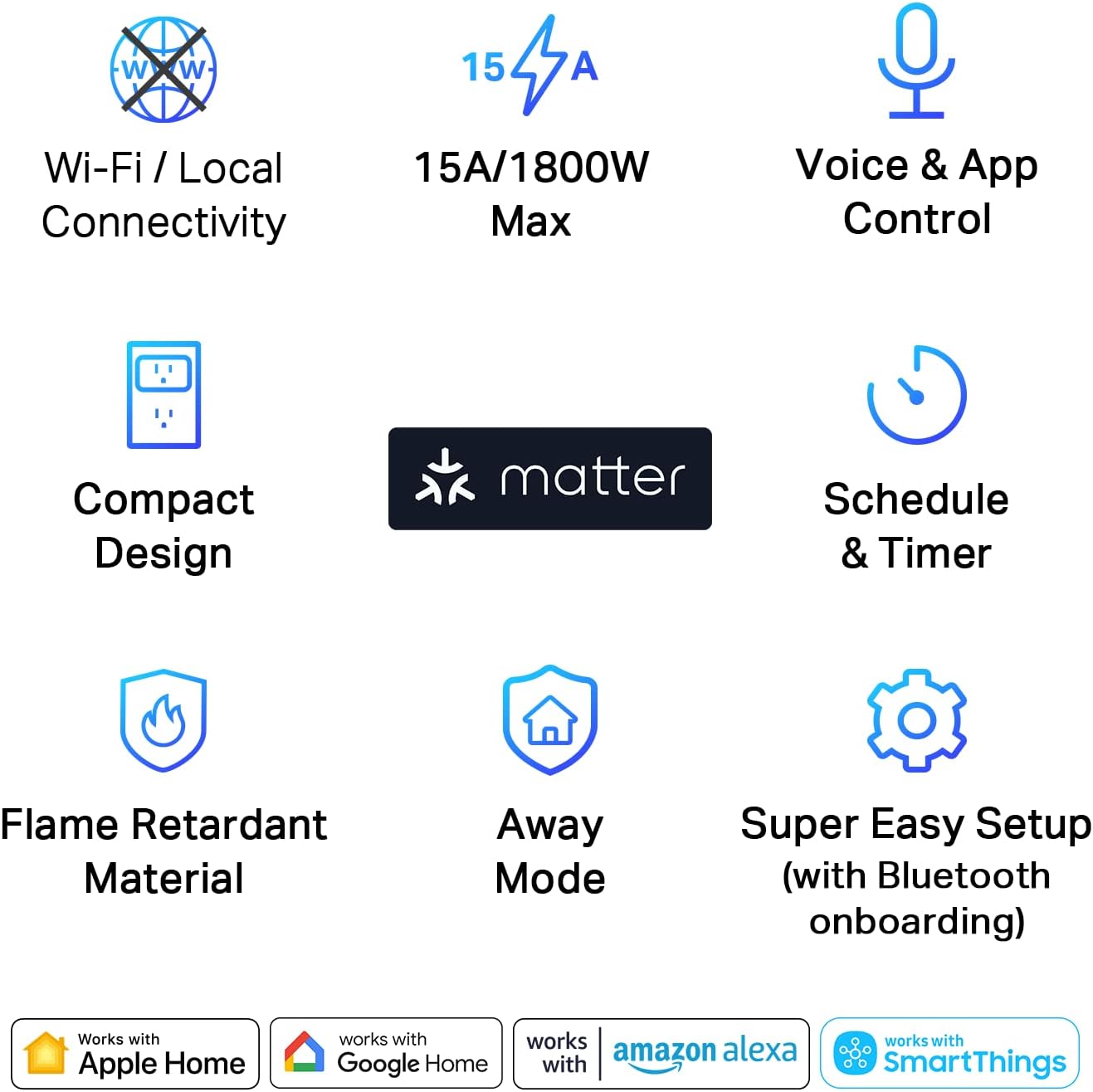
This review is tied to the US P125M single-plug listing. Tapo’s US specifications state 2.4 GHz Wi-Fi, Bluetooth for setup, 100–125 V input and a maximum 15 A/1800 W at 120 V for the stated general-use or resistive load category. Motor limits are separate; do not interpret the headline wattage as universal compatibility.
The regional version matters. A product with a similar name in another market can have different physical and electrical specifications. Check the device label, regional documentation and the intended load before connecting anything.
We have not conducted electrical, thermal or long-term reliability testing. Follow the manufacturer’s use restrictions and the connected appliance’s instructions. This review’s recommended starting job is a suitable lamp, not an invitation to automate arbitrary high-power equipment.
Matter compatibility still has setup requirements
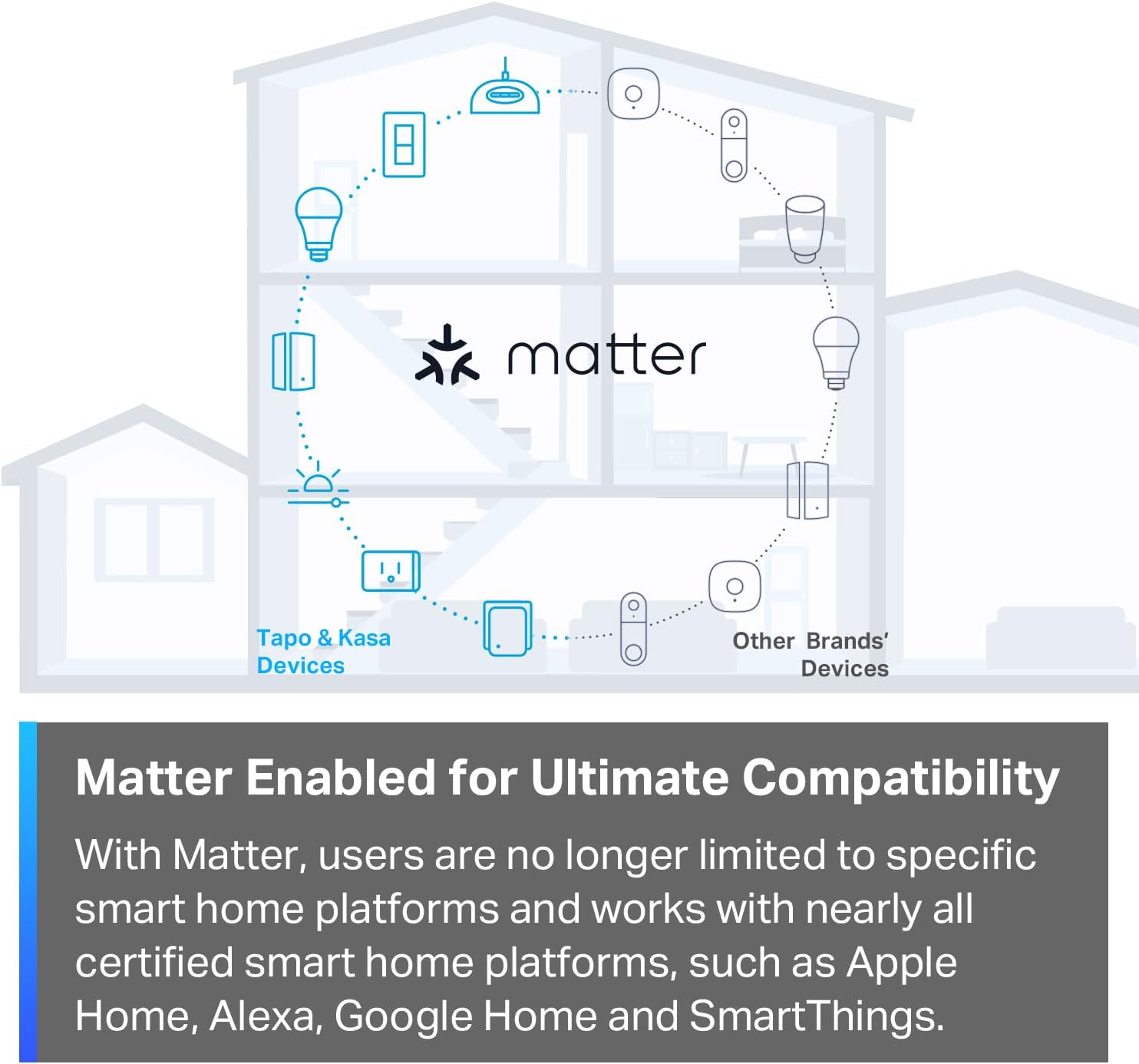
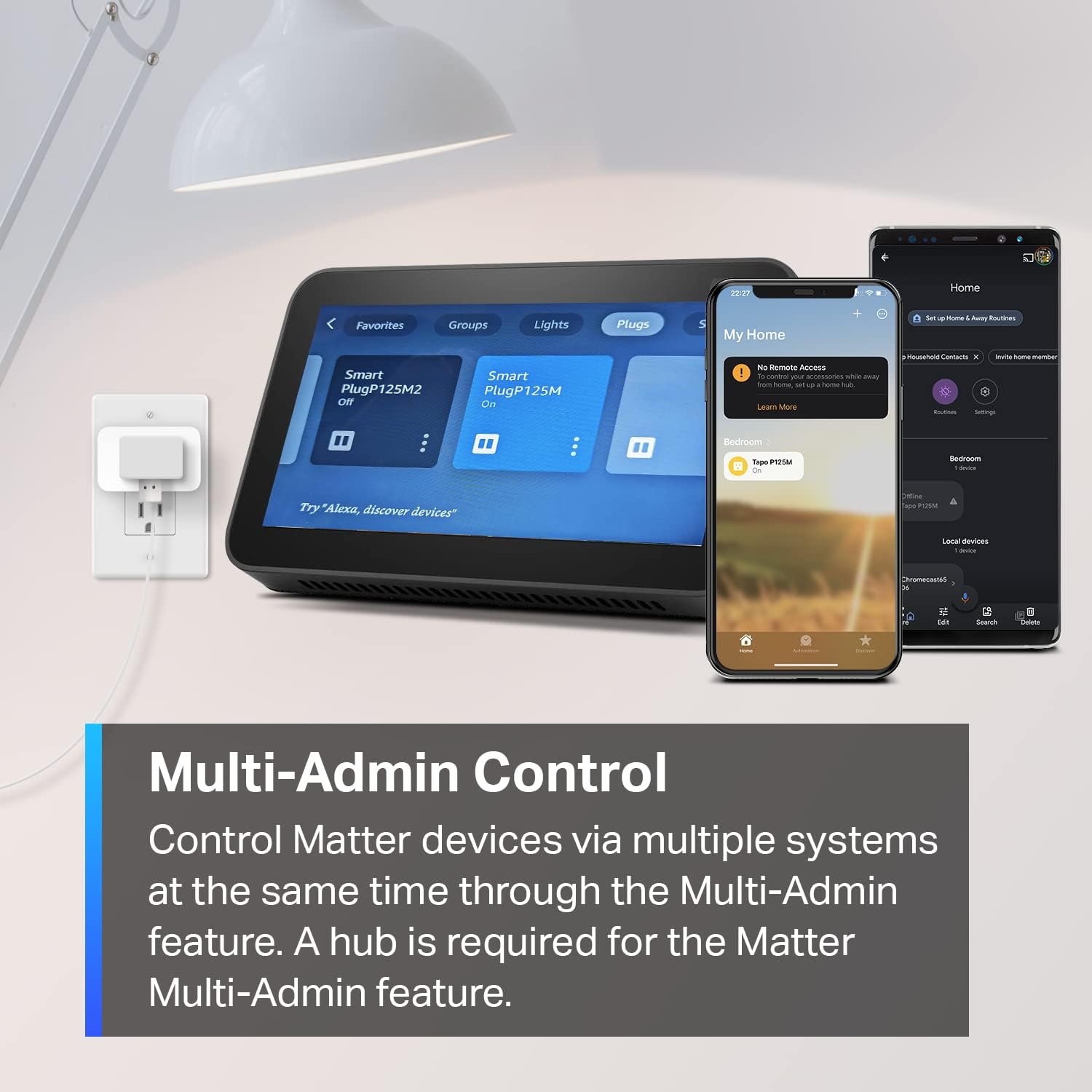
Matter support can make the plug useful within compatible ecosystems, but a logo is not a complete setup checklist. TP-Link’s setup guide states that Matter use requires a compatible controller and the corresponding ecosystem app. Verify your actual controller model and current platform requirements before ordering.
The Tapo app path and the Matter ecosystem path should be considered deliberately. Decide which household app will be the normal place to control the lamp and who needs access. Adding the same device through several systems without a plan can make a simple lamp harder to manage.
The guide also distinguishes initial setup from adding another ecosystem. Follow the current instructions for that process rather than assuming the printed code is reused identically for every addition. We have not tested commissioning speed or compatibility with every controller combination.
Wi-Fi coverage at the outlet matters
The plug uses 2.4 GHz Wi-Fi. Check that your network provides a compatible connection where the outlet is located, particularly if it sits behind furniture or at the edge of coverage. A strong connection near the router does not establish the same conditions at the lamp.
Keep access to the plug’s physical control and the outlet practical. A compact body may leave an adjacent socket available, but the size and orientation of neighboring plugs can still affect the arrangement. Measure the real outlet area rather than relying on an isolated product photograph.
If your home network is already unreliable, solve that problem before adding more devices that depend on it. Buying a smart plug does not improve coverage. We have not measured reconnection behavior after power or network interruptions on a sample unit.
Start with one understandable schedule
A simple evening on/off routine is easier to evaluate than several overlapping automations. Give the device a clear room-and-purpose name and decide which schedule controls it. Then observe whether the result matches the household’s ordinary habits.
Think through exceptions: visitors, a late evening, a room used for work or someone turning the lamp off at its own switch. If the physical lamp switch is off, the smart plug cannot make the lamp illuminate just by supplying power. Everyone using the room needs to understand that relationship.
The most useful automation is the one people can predict and override. A complicated schedule that surprises the household is not an improvement merely because it is technically possible. Keep the physical controls usable and make the routine easy to explain.
On/off control is not dimming
The P125M switches power. It does not turn an ordinary bulb into a dimmable or color-changing bulb. If you want adjustable brightness, compare a compatible smart bulb or a purpose-built dimming solution appropriate to the lamp and bulb.
That alternative changes the control arrangement. With a smart bulb, the lamp generally needs to remain powered for the bulb’s connected functions to operate. With a smart plug, the whole connected load is switched together. Choose the format according to the behavior you want, not simply the lowest entry price.
For a lamp that you only want on in the evening and off at bedtime, the plug format may be enough. For different brightness levels during reading and television, on/off alone does not meet the full requirement.
Scheduling is not energy monitoring
Tapo’s US comparison identifies the P125M as lacking energy monitoring. You can use scheduling to change when a suitable load is powered, but this model does not give you the consumption measurements needed to calculate that lamp’s actual energy use.
If consumption data is the purpose of the purchase, compare a model explicitly providing the required measurements in your region and chosen app. Do not transfer a feature from a similarly named Tapo or Kasa plug onto this one.
We have not calculated savings because that would require the connected load, actual operating hours and measured behavior. A device that makes switching convenient may be worthwhile without any savings claim. Conversely, a plug purchased only to measure power would be the wrong choice if it cannot produce the data.
Shared use and interruptions
Plan how other household members will operate the lamp when your phone is absent. Appropriate shared app access and reachable physical controls can prevent the setup from depending on one person. The best arrangement should remain understandable to someone who did not install it.
Tapo describes local access through already configured compatible apps when the internet connection is lost. That does not mean every remote service, voice assistant or automation continues under every outage condition. Network, controller and platform dependencies still matter.
If an interruption would create a serious problem, do not treat this consumer lamp-control setup as the sole safeguard. Our recommendation is for ordinary convenience. We have not validated failover behavior, remote-service availability or a particular power-restoration state.
Is a smart plug worth the extra setup?
A simple timer may be enough for a predictable daily lamp routine. It can avoid account and ecosystem setup, though its controls and flexibility differ. A smart plug is more compelling when app access, compatible voice control or integration with an existing household system has a clear use.
Evaluate the first week by ordinary results: does the lamp follow the intended routine, can everyone control it, and is manual operation still straightforward? If the setup creates more troubleshooting than convenience, simplify it rather than expanding to more outlets immediately.
The P125M is a focused switching device. That focus can be useful when paired with a compatible lamp and a suitable network. It becomes a poor purchase when the buyer expects dimming, consumption charts or universal appliance compatibility from the same small adapter.
Choose by the job, not the product count
| Your situation | Better starting point | Reason |
|---|---|---|
| Scheduled on/off for a compatible lamp | US Tapo P125M | Adds connected switching |
| Brightness or color adjustment | Compatible smart bulb or dimming system | On/off switching cannot provide this |
| Actual consumption measurements | Energy-monitoring plug | US P125M lacks that measurement function |
| One fixed daily routine | Basic timer | May avoid unnecessary network setup |
Amazon product and current listing
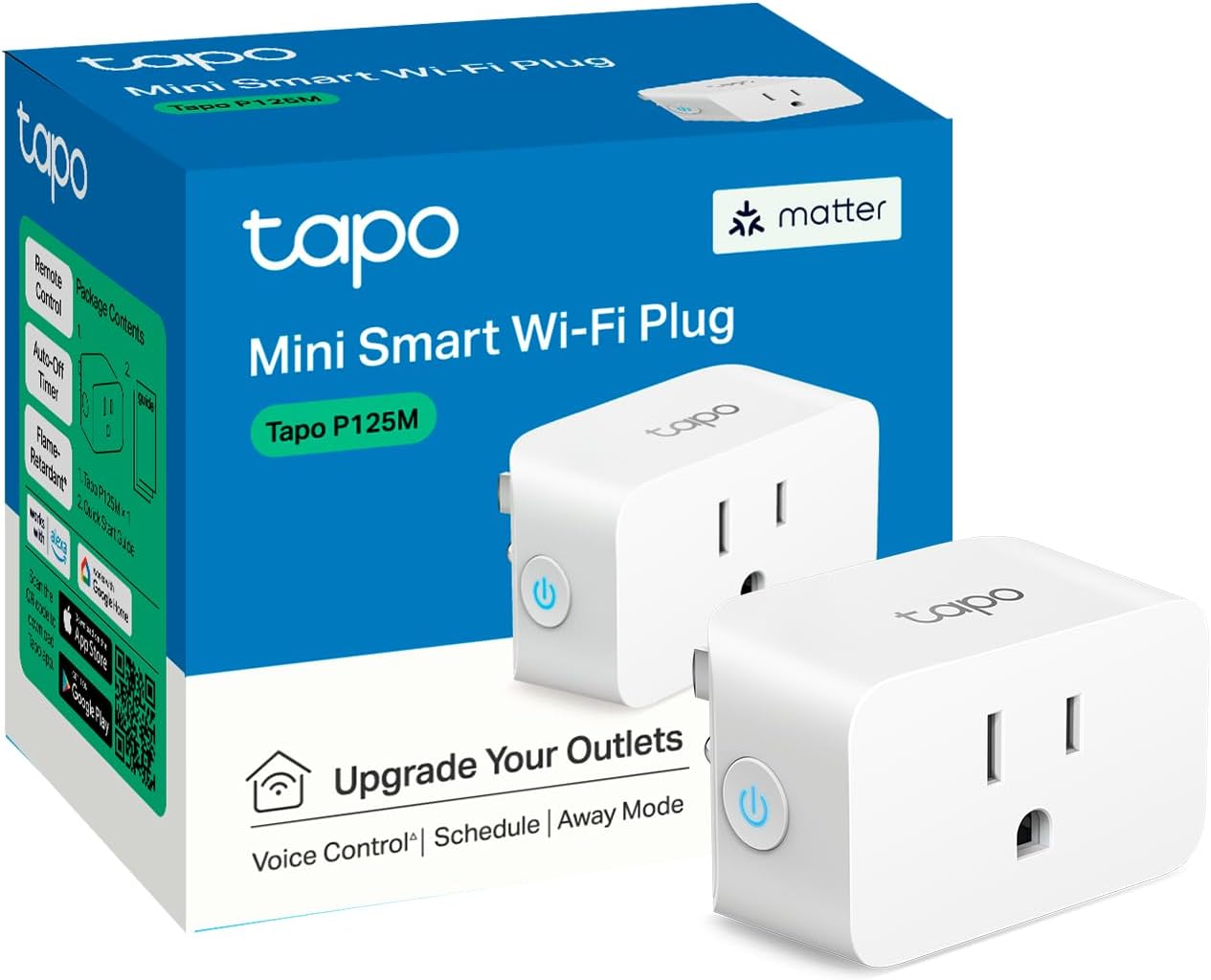
Check Tapo P125M Mini Smart Wi-Fi Plug on Amazon. Confirm the exact variant, seller, delivered price and return terms before ordering. This link identifies ASIN B0BNWGZ545; it does not guarantee an offer is currently available.
Our buying decision
Choose the US P125M for straightforward on/off control of a compatible lamp when its network and ecosystem requirements fit your home. Do not buy it for dimming or energy monitoring. A simple timer may be enough if your only need is one fixed daily schedule.
Continue with Living Room ideas and our Buying Guides. For the surrounding routine, read Brightech Maxwell Shelf Floor Lamp Review: Can One Corner Hold Light and Storage?.
Sources and review scope
We checked the specific Amazon listing for product identity and listed features. The room scenarios and purchase comparisons above are editorial analysis. We have not measured performance, lifespan or long-term durability. Additional reference: Tapo US P125M specifications. Additional reference: TP-Link P125M Matter setup guide. Additional reference: Tapo US smart plug feature comparison.
Sources
- Amazon product listing — https://www.amazon.com/dp/B0BNWGZ545
- Tapo US P125M specifications — https://www.tapo.com/us/product/smart-plug/tapo-p125m/
- TP-Link P125M Matter setup guide — https://static.tp-link.com/upload/manual/2023/202303/20230321/1910013355_TapoP125M_UG_V1.pdf
- Tapo US smart plug feature comparison — https://www.tapo.com/us/news/2002/