A lap desk can make a short sofa session less awkward by giving a laptop and mouse a defined surface. The LAPGEAR Home Office model in Black Carbon adds a built-in mouse pad and phone slot. Those features are useful only if your computer, preferred hand and seating position match the layout. For the broader setup, Fellowes 48121 Footrest Review: Useful Support or More Desk Clutter? is a useful next read.
Review scope: This is a research-based assessment of the linked product, not a hands-on test. Listed specifications are distinguished from our practical buying analysis. Offers and selected variants can change.
The best use is a defined short task
Answering messages, reviewing a document or handling a brief household admin task can be a plausible reason to work away from a desk. A lap surface may make that session more organized than balancing the computer and mouse separately on soft upholstery.
The same purchase becomes less convincing if the real need is a permanent work area. A lap desk does not independently position the screen, keyboard and chair. Before ordering, decide whether you want occasional flexibility or are trying to compensate for a missing workstation.
That distinction helps set a useful success test. For occasional use, easy setup and pack-away matter greatly. For long work sessions, broader positioning choices may be more important than a handle or a phone slot.
Check the exact Home Office version
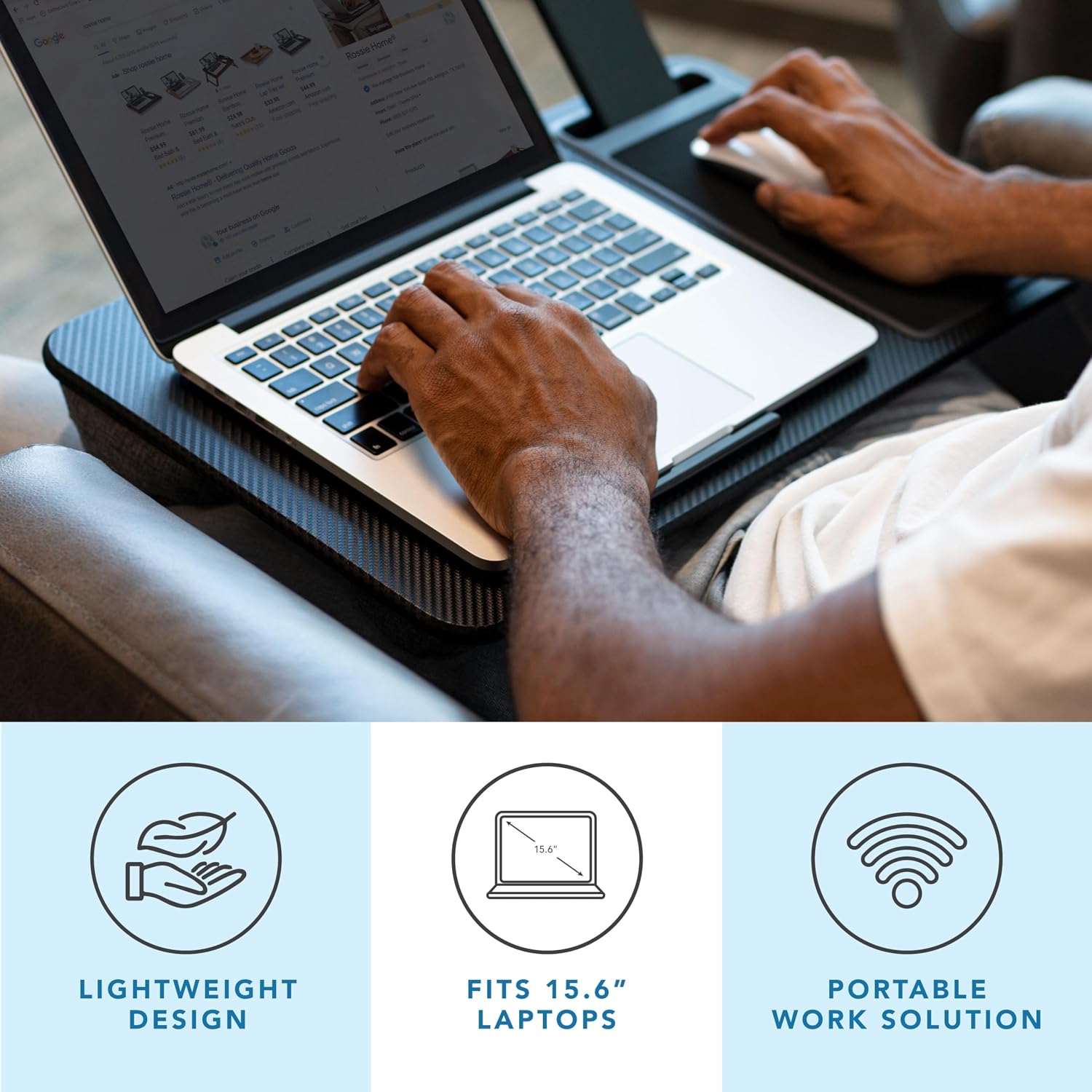
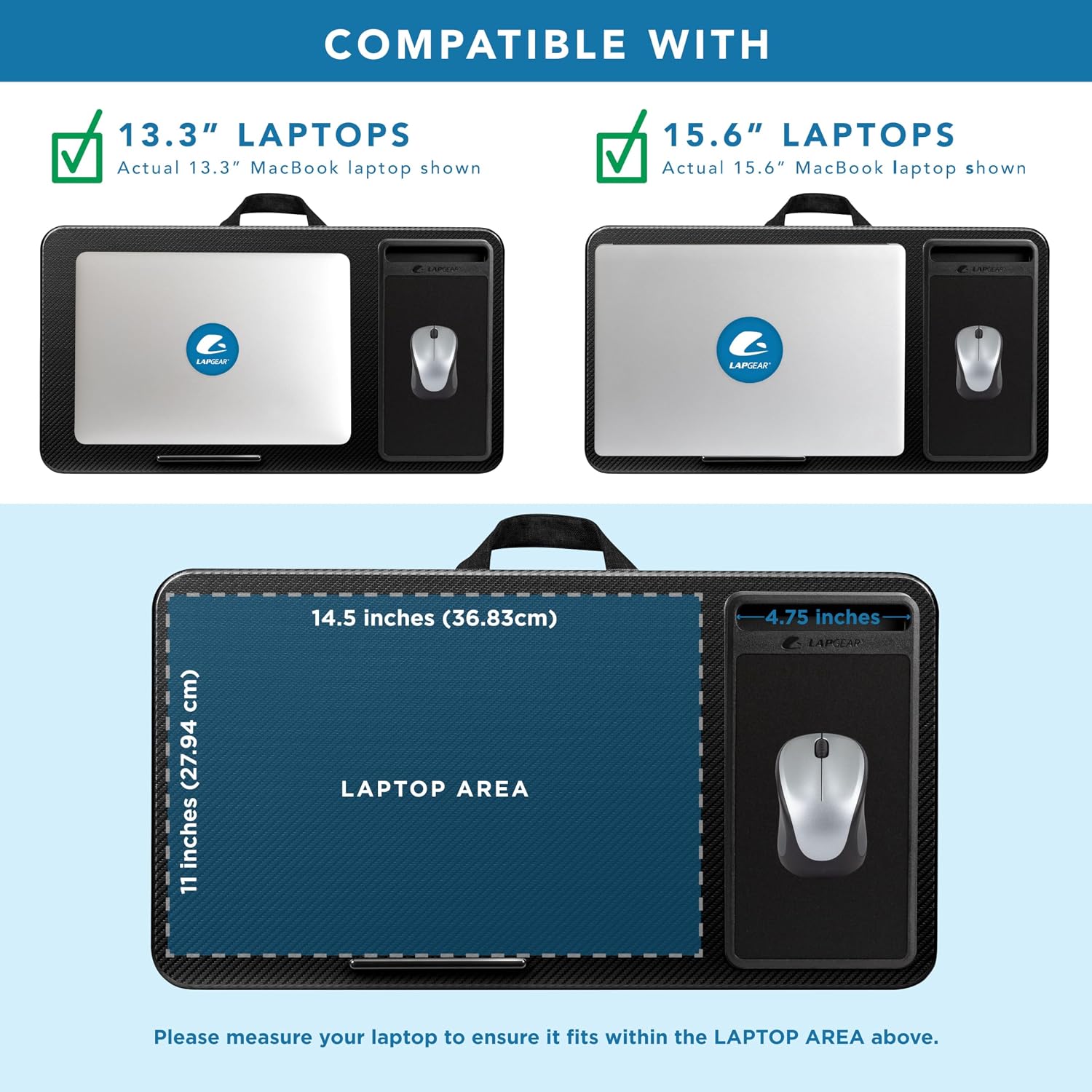
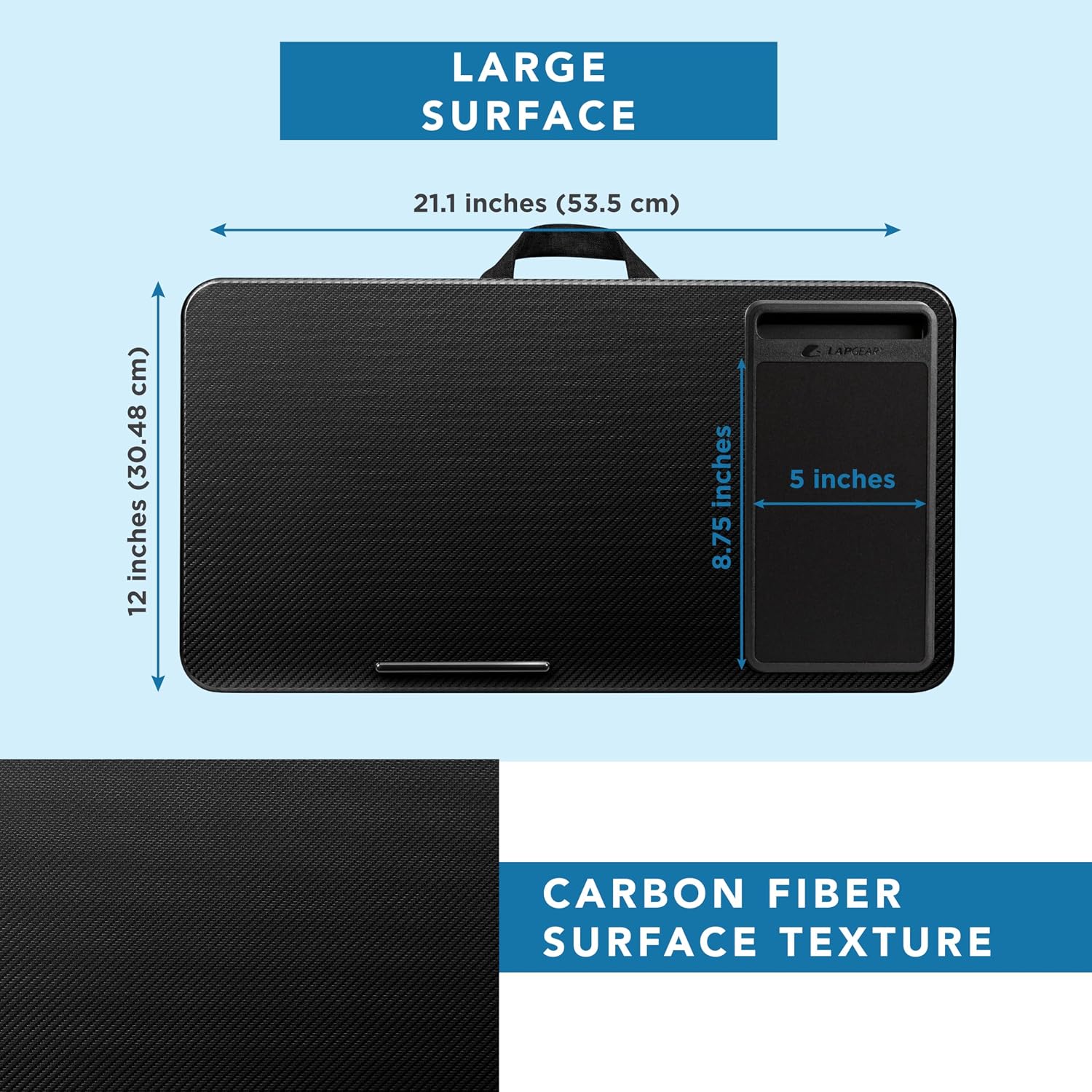
The linked Black Carbon Home Office model lists a 21.1-by-12-inch surface, a 5-by-9-inch mouse pad, a phone slot, a device ledge and a dual-bolster cushion. The advertised laptop class is up to 15.6 inches. This is not a review of every LAPGEAR model or the separate Pro versions.
Laptop screen diagonal is not the same as chassis width. Measure the actual computer, including anything plugged into its side. A machine described as 15.6 inches may occupy a different footprint from another with the same display class.
We have not tested surface temperatures, cushion compression or stability on different users’ laps. The listed layout can be assessed for fit without treating promotional comfort or airflow language as measured performance.
Mouse space is the main reason to compare carefully
The built-in mouse area sits on the right in the product imagery. That is convenient if it matches your normal use, but it is a real constraint if you use the mouse with your left hand. Turning the entire board around also changes the position of the ledge, cushion and other features.
Consider how much movement your mouse tasks require. Navigating email is different from detailed editing or gaming. A defined pad may feel sufficient for one task and restrictive for another. We have not measured tracking performance with different mice.
Place your laptop and mouse on a table within a marked outline before buying. This simple mock-up can reveal whether you will be crowding the keyboard against the mouse area or expecting the pad to provide more room than its dimensions allow.
Your sofa is part of the fit
A broad lap board can conflict with close armrests even when the computer fits. Measure the space between the arms of the seat where you intend to use it. Also consider whether the cushion tilts your legs or makes you reach forward to keep the board level. You may also find How to Keep a Small Bedroom Calm When It Also Has to Be a Workspace useful for a closely related small-home problem.
A deep sofa may encourage a posture that is fine for watching television but awkward for typing. The lap desk supplies a surface; it does not change the seat depth or provide independent back support. If the seating arrangement is uncomfortable without the computer, this accessory may not be the missing solution.
Check how easily you can put the board down and stand up. A temporary work setup should have a nearby landing place rather than leaving you to balance the laptop while trying to exit the seat.
The phone slot is convenient, not a complete dock
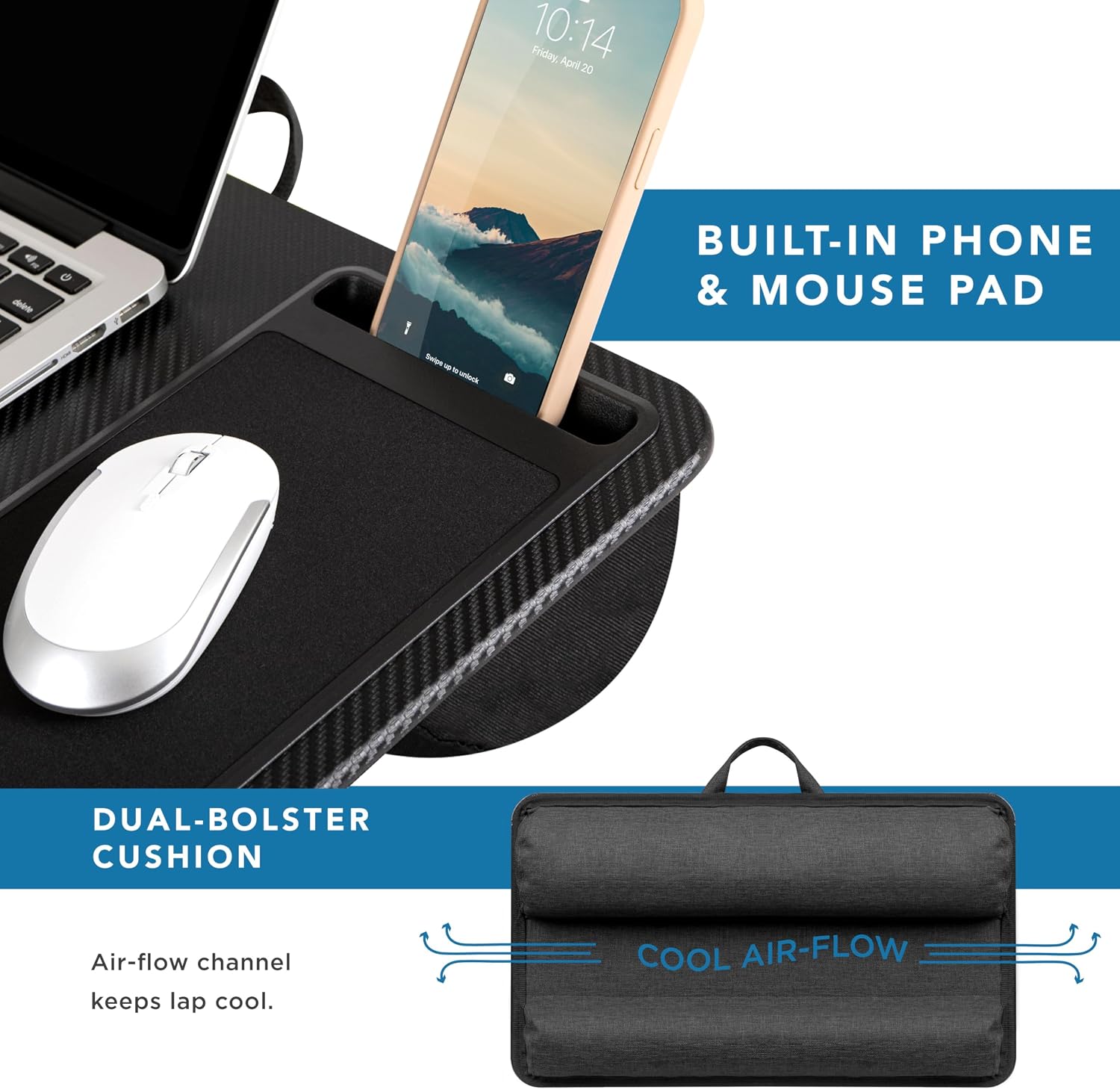
A phone slot can keep a device visible for a call or notification, but case thickness and phone size affect fit. Do not assume that a bulky protective case or a charging connector will work simply because the slot is described as a holder.
Consider whether you actually want the phone in that position. If you use it mainly for occasional authentication prompts, the slot may be useful. If it becomes another screen competing for attention during a focused task, keeping it elsewhere may suit you better.
The slot does not add charging electronics or cable management by itself. Plan any charging lead so it does not pull on the phone or computer when you move. The board should remain a manageable object rather than becoming a tangle of attached devices.
A hard surface is not a cooling guarantee
Use the laptop according to its ventilation requirements. A solid lap surface can be more appropriate than allowing soft bedding to surround the computer, but that does not prove a particular temperature improvement. The laptop’s vents, workload and environment still matter.
Do not cover openings or place the setup where fabric can bunch around the machine. If the computer runs unusually hot or behaves unexpectedly, follow its own manufacturer guidance rather than assuming the lap desk has solved the issue.
We have not conducted thermal testing or compared fan noise with a desk. This is an important limit because cooling language can make an ordinary support surface sound like an active cooling device. This review recommends it for layout and portability, not a quantified temperature reduction.
Moving the setup between rooms
The carry handle is most useful when the desk is empty or handled in a way that keeps every item secure. Do not assume a ledge or phone slot locks your devices in place during transport. Remove loose accessories before carrying the board through a doorway or around furniture.
Give the lap desk a storage position where it can be retrieved easily. Its width may be more relevant than its thickness when choosing a gap beside furniture or a shelf. Keeping it accessible supports the occasional-use role better than hiding it behind unrelated household items.
Think about the complete pack-away routine: laptop, mouse, charging cable and board. If you need several trips to restore the room, a small nearby storage arrangement may matter more than another feature on the lap desk itself.
Plain lap board versus this fixed layout
A plain board offers flexibility in where you place a mouse or notebook. It may suit left-handed use or a computer with an unusual footprint, though you would need to supply any mouse surface and decide how to keep the laptop positioned.
The LAPGEAR trades some of that flexibility for designated features. That can make setup quick when your equipment matches them. It can also waste useful area if you never use the phone slot or need the mouse on the other side.
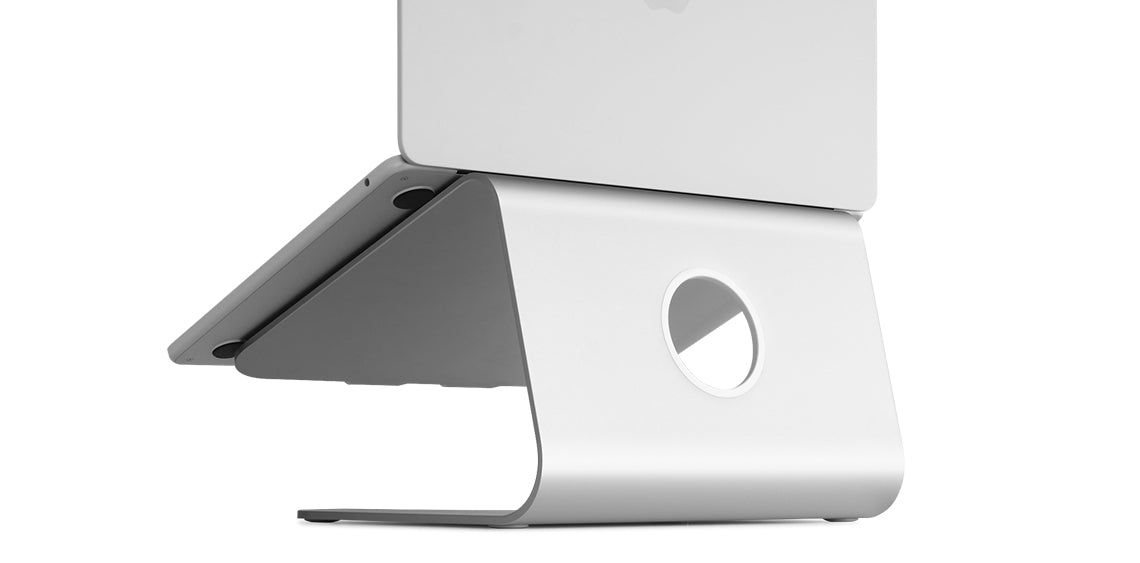
A laptop stand on a desk solves a different problem by changing screen position within a larger workstation. It is not directly interchangeable with a board resting on your lap. Choose between those categories by the working arrangement you need rather than treating all laptop accessories as equivalent.
A useful return-window checklist
Try an ordinary task with your regular laptop, case, mouse and seating position. Notice whether the computer fits without overhanging awkwardly, whether the mouse area feels adequate and whether you can reach everything without holding a strained position.
Also check the reset: can you set the board down, get up and store it comfortably? An accessory can feel pleasant for a few minutes yet become inconvenient every time you need to leave the seat. That recurring friction belongs in the buying decision.
Keep this model when the fixed arrangement matches your routine and occasional mobility is the real benefit. Choose a different layout or workstation when the board requires you to adapt too much of your normal way of working.
Which option fits your routine?
| Situation | Starting point | Tradeoff |
|---|---|---|
| Short sessions with a right-side mouse | LAPGEAR Home Office | Convenient fixed layout if equipment fits |
| Left-side mouse or unusual equipment layout | Plain wide lap board | More placement freedom, fewer built-in features |
| Need separate screen and keyboard positioning | Desk-based setup | More adjustment than a lap surface |
Amazon product and current listing
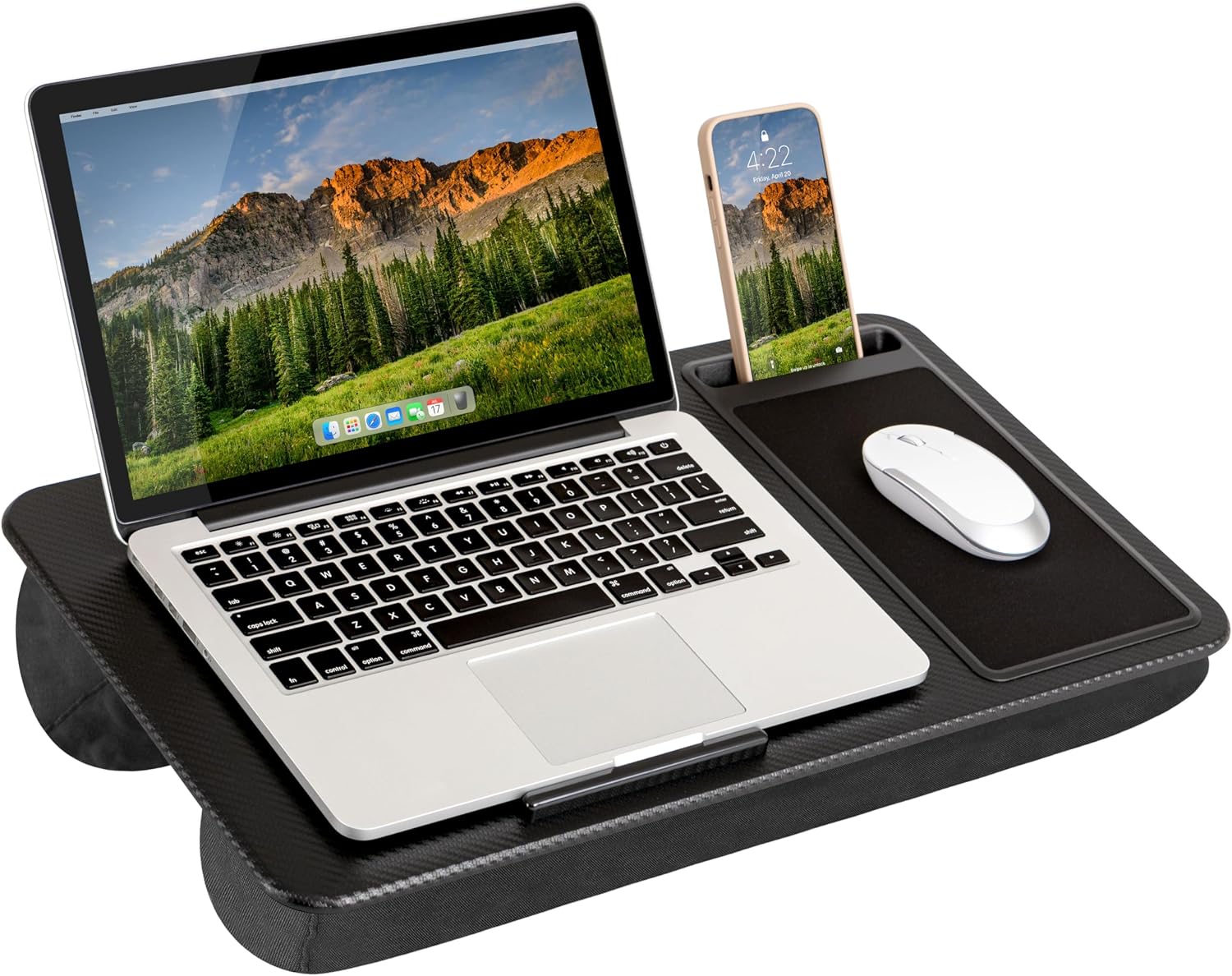
Check LAPGEAR Home Office Lap Desk in Black Carbon on Amazon. Confirm the selected model, seller, delivered price and return terms. This link identifies ASIN B089P14H76; it does not guarantee current stock.
Our buying decision
The LAPGEAR fits a focused role: short laptop sessions with a compatible computer and right-side mouse use. Measure the real laptop footprint and seat width. It is less suitable when you need a reversible layout, screen-height adjustment or a full-day workstation.
Explore Home Office ideas and Buying Guides. Related reading: Rain Design mStand vs. Nulaxy C3: Which Laptop Stand Fits a Small Desk?.
Sources and evidence limits
The linked Amazon listing supplies the product identity, photographs and listed features. Household scenarios and comparisons are editorial analysis. We have not measured durability, performance or user outcomes. We do not use star ratings as proof of quality.
Sources
- Amazon product listing — https://www.amazon.com/dp/B089P14H76