A shared desk often works best when the laptop can leave at the end of the day. The Anker 332 can gather a monitor and a few accessories into one compact connection point, but only if its five ports match the setup. Its small size is not a substitute for checking laptop video support, charging requirements and cable routing. This review focuses on one external display and a desk that must return to ordinary household use. For the broader setup, Logitech Pebble Keys 2 K380s Review: A Keyboard for a Shared Small Desk? is a useful next read.
This is a research-based review of the linked product, not a hands-on test. Product photographs come from its Amazon listing. Price, seller, stock and selected options can change.
Inventory the cables you actually connect
Write down every connection you use during a normal work session: monitor, keyboard receiver, storage drive, charger and anything else. Separate daily essentials from occasional devices. A hub with the wrong port mix can create more adapters instead of fewer cables. If your laptop already has enough direct connections, try grouping the cables before buying hardware. The 332 is most relevant when you repeatedly connect a small set of accessories and want them gathered in one place. It is less useful when the only problem is an untidy length of cable behind the desk. You may also find How to Organize a Small Home Office When Your Desk Has No Drawers useful for a closely related small-home problem.
Understand the five-port layout
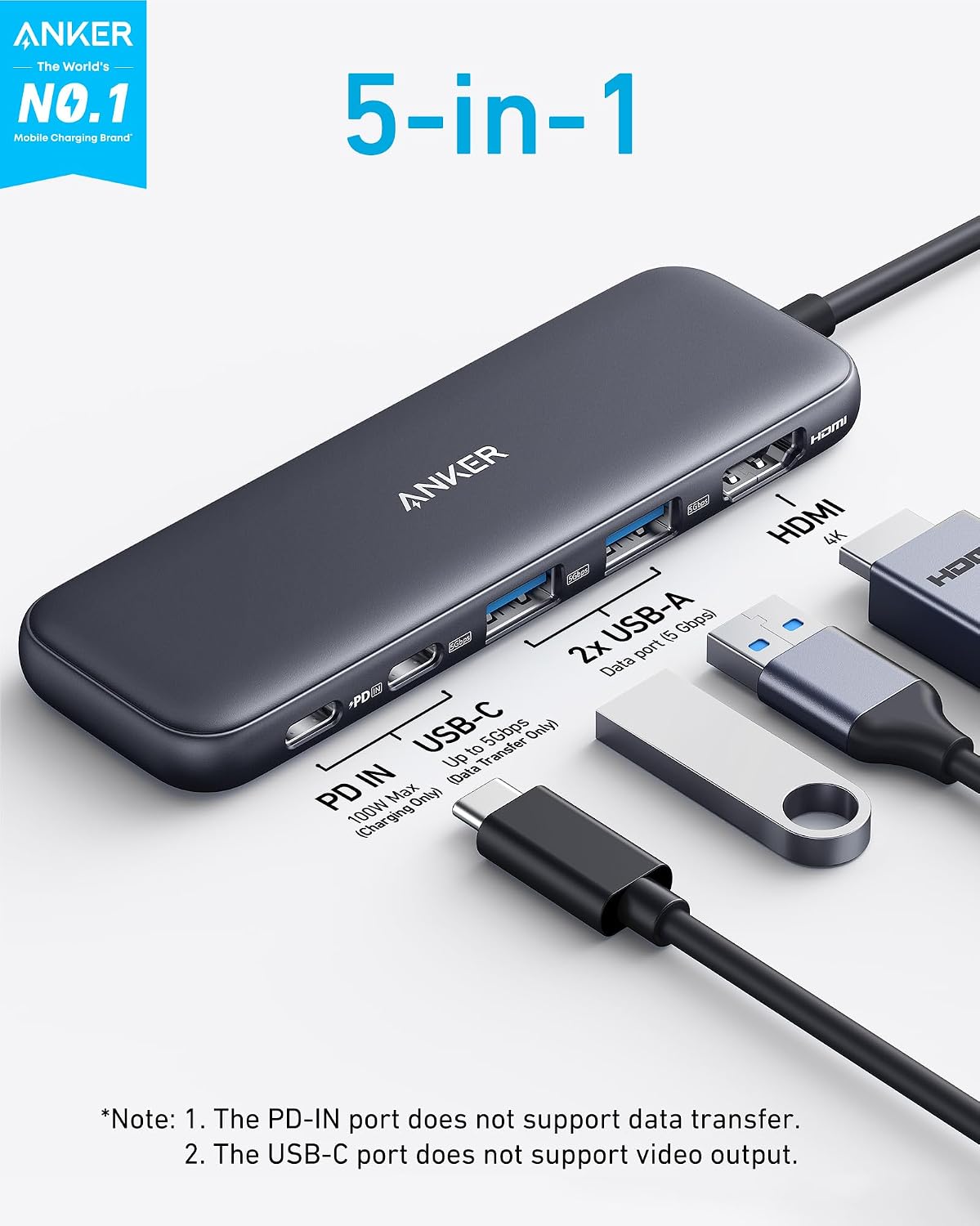
Anker lists one HDMI output, one USB-C data port, two USB-A data ports and a USB-C Power Delivery input. The data connections are listed up to 5Gbps; the HDMI output is listed up to 4K at 30Hz. Charging input and data are different jobs even though two sockets share the USB-C shape. The data USB-C port is not an additional video output. The PD input is not a general accessory port. Marking which cable goes where can make a shared setup less confusing, especially when two people reconnect it at different times. You may also find Logitech M185 Review: A Simple Mouse With a USB-Port Catch useful for a closely related small-home problem.
The laptop port is part of the system
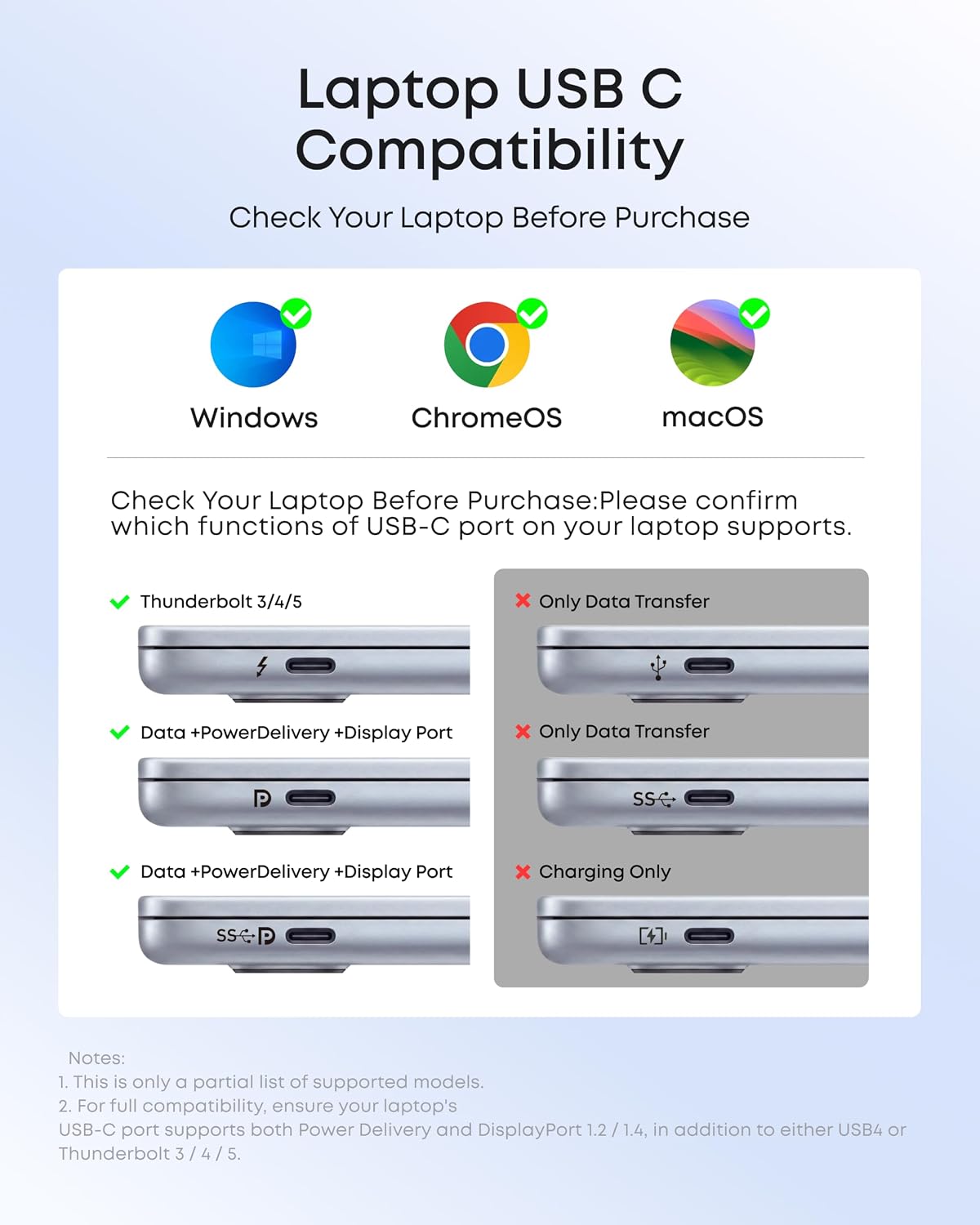
A matching connector shape alone does not establish that a laptop can send video or accept charging through that port. Check the exact laptop model documentation against Anker’s host requirements, including DisplayPort Alt Mode and Power Delivery where relevant. Use primary manufacturer guidance for operating-system compatibility. If your laptop lacks the needed video capability, adding this hub will not create it. Avoid ordering based on a broad phrase such as compatible with laptops. Model-specific confirmation is especially valuable for an older computer, a work-issued machine or a device with several different USB-C ports.
One display is a clear boundary
The single HDMI output suits one external monitor. It is not a dual-monitor dock, and a passive splitter should not be assumed to provide independent desktops. Decide what your work requires before comparing price. A single larger screen might fit a narrow desk better than two displays, but that is a separate layout choice. If your established workflow depends on two external monitors, compare a dock and host combination explicitly designed for that arrangement. Buying a small hub and then adding workarounds can cost more space, money and troubleshooting time than selecting the right device initially.
Why the refresh-rate ceiling matters
A 4K at 30Hz specification is different from 4K at 60Hz. Whether that matters depends on the monitor mode and the work you do, but it should not be hidden behind the word 4K. We have not measured motion smoothness, latency or display stability. Check your required resolution and refresh rate against the supported combinations in the current documentation. If smooth high-resolution motion is important, select equipment that explicitly supports it. A modest office setup may have different priorities, yet the decision should be informed rather than discovered after connecting the monitor.
Pass-through charging still needs a charger
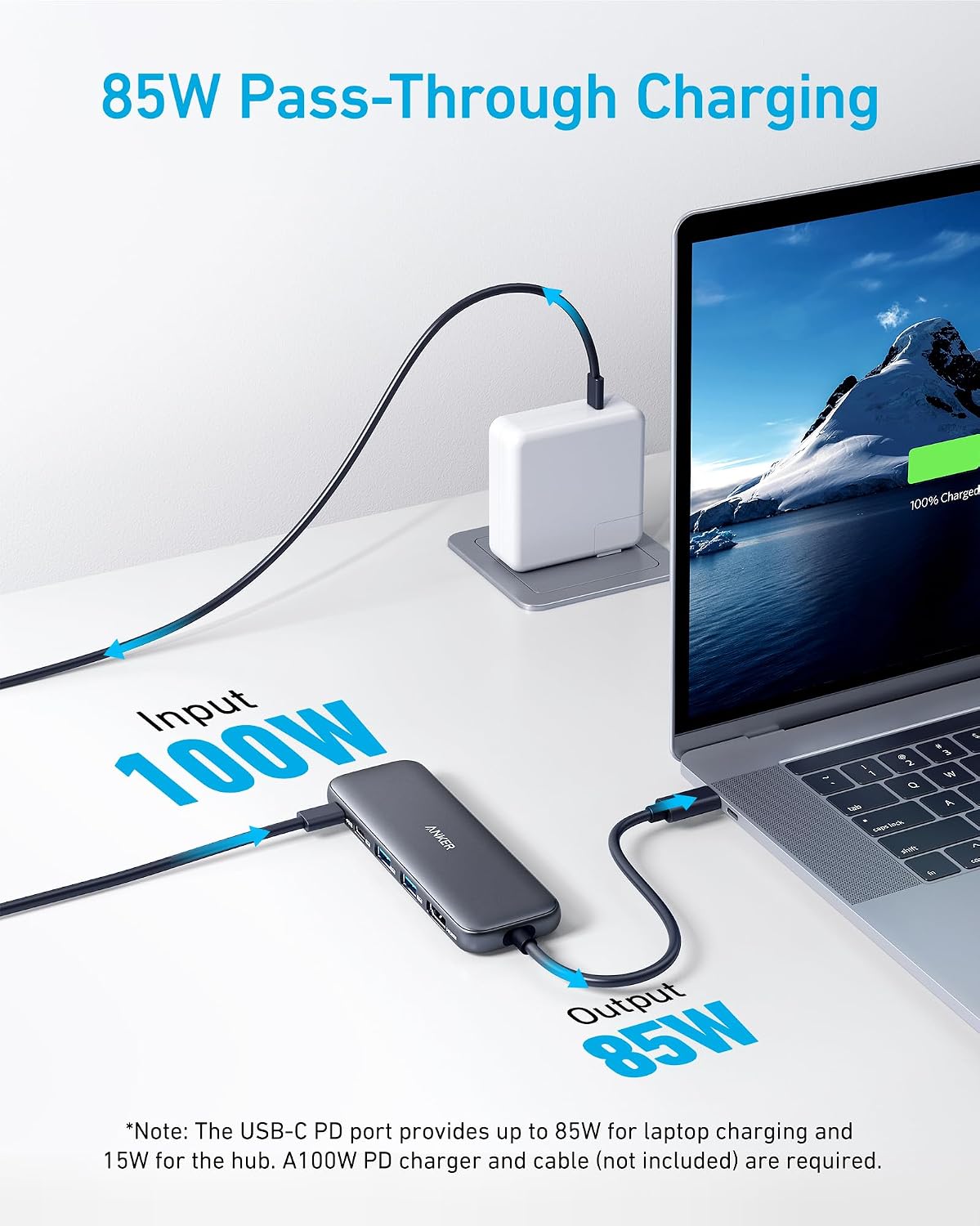
The hub does not replace the wall power supply. Anker lists a 100W PD input and up to 85W pass-through to the host, with a compatible charger required separately. Compare that limit with your laptop’s requirements and consider the cable as well as the charger. Do not assume every existing USB-C power supply will deliver the advertised maximum. A demanding laptop may need its original power connection. The small-home benefit comes from simplifying a suitable arrangement; it does not come from pretending the charger and its outlet disappear.
Place the hub where cables do not pull it
A compact body can be dragged around by several stiff cables. Before using adhesive mounts or cable organizers, connect the real monitor and charging cables and see where the hub naturally rests. Leave enough slack to move the laptop without loading its port. Avoid a layout where the hub hangs from the computer or falls behind the table whenever you unplug. Keep it in the operating conditions described by Anker, with appropriate ventilation. A shallow desk needs a deliberate cable route more than it needs the hub hidden at any cost.
A shared table needs a closing routine
At the end of work, save your files and properly eject removable storage according to the operating system before disconnecting. Then move the laptop and any portable equipment to their assigned places. Decide whether the hub remains with the monitor or travels with the computer. Both can work, but switching randomly creates missing cables. If the dining table is the desk, a small existing pouch may hold the hub and accessories. Do not buy a large technology organizer unless the equipment genuinely needs it; the point is a quick return to the table’s other role.
External storage deserves realistic expectations
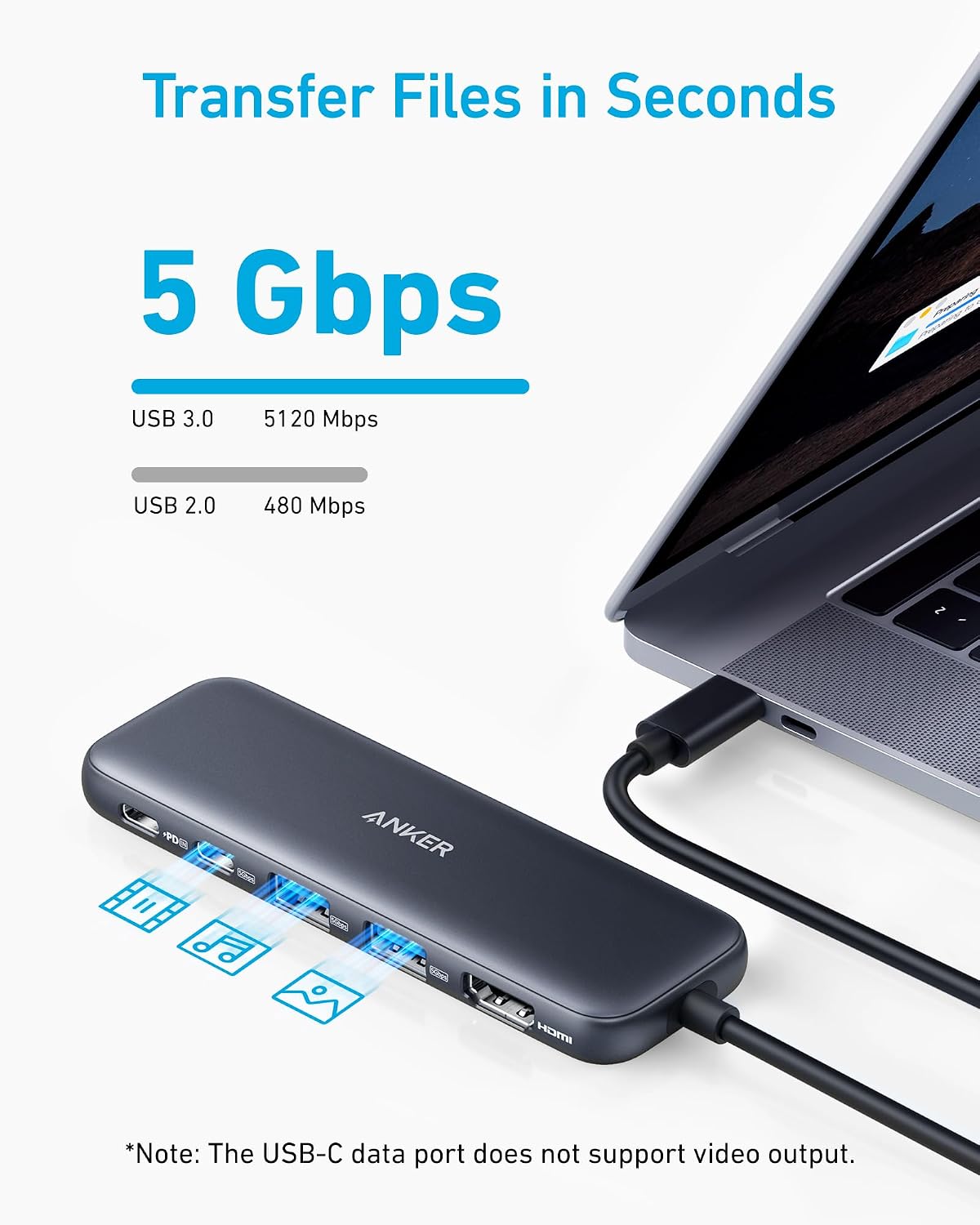
The listed data rate is an interface maximum, not a guaranteed file-copy speed. Actual transfers depend on the drive, host, cable, workload and other connected devices. We have not benchmarked this hub. For a critical backup routine, verify that your drive behaves reliably with the complete setup and follow its safe-removal guidance. A hub can make a drive easier to connect, but it is not itself a backup strategy. Keep the purpose of each device clear so that a tidy desk does not create false confidence about data protection.
When a larger dock earns the space
Ethernet, memory cards, additional displays or other specialized connections may justify a larger dock. List those requirements explicitly, then compare total connected size, including its power supply and cables. Conversely, if you use only a wireless mouse and the laptop screen, a multiport hub may be unnecessary. The most economical setup is the one that meets your real requirements without a chain of adapters. Avoid buying for every hypothetical future peripheral. A clearly defined present need is a better basis for choosing between direct connections, this hub and a more capable dock.
Test the complete workday within the return window
Connect the exact display, charger and accessories you intend to use. Check the supported display mode, ordinary file transfers, charging behavior and reconnection after sleep. Review any issue against manufacturer instructions before deciding the hardware is defective. Work-managed devices may have restrictions, so consult the appropriate support channel rather than changing settings you are not authorized to change. The goal is a stable routine, not a successful five-minute demonstration. A hub that only works after repeated cable swapping does not make a shared desk easier to use.
Port labels can prevent household confusion
If two people share the setup, a small label on the monitor cable and charging cable may save repeated guessing. Use a removable method that does not obscure ventilation or important product markings. Keep one short note about the intended connection order if needed. Avoid a complicated diagram that only its creator understands. The best arrangement lets the next person connect confidently and put everything back. That modest usability improvement can be more valuable than adding another port that nobody uses, particularly when the desk belongs to the whole family.
Choose by the job, not the product count
| Your situation | Better starting point | Reason |
|---|---|---|
| One HDMI display and a few USB devices | Anker 332 | Focused portable port mix |
| Two displays or Ethernet required | Compatible fuller dock | Necessary ports are missing here |
| Laptop ports already cover the task | Direct connections | No extra hardware to store |
Amazon product and current listing
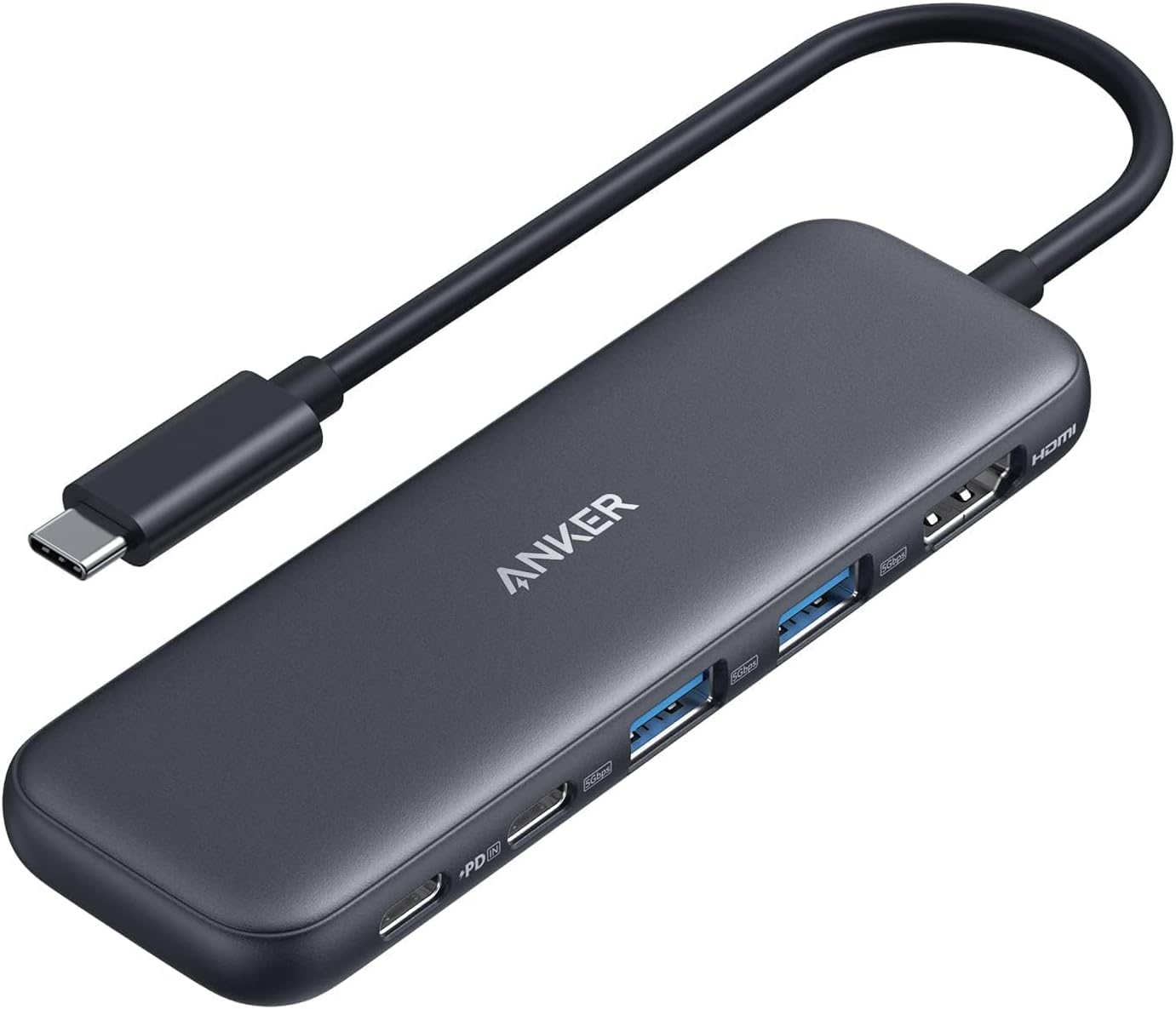
Check Anker 332 USB-C Hub 5-in-1, black on Amazon. Confirm the exact variant, seller, delivered price and return terms before ordering. This link identifies ASIN B0BQLLB61B; it does not guarantee an offer is currently available.
Our buying decision
The Anker 332 is a sensible candidate for a compatible one-monitor setup that packs away daily. Confirm host support and the 4K/30Hz and charging limits first. Choose a different dock when a required connection is absent; do not build a chain of adapters around an unsuitable hub.
Continue with Home Office ideas and our Buying Guides. For the surrounding routine, read How Two People Can Share One Small Home-Office Desk Without Leaving Both Setups Out.
Sources and review scope
We checked the specific Amazon listing for product identity and listed features. The room scenarios and purchase comparisons above are editorial analysis. We have not measured performance, lifespan or long-term durability. Additional reference: Anker 332 official specifications.
Sources
- Amazon product listing — https://www.amazon.com/dp/B0BQLLB61B
- Anker 332 official specifications — https://www.anker.com/products/a8355